Scene Forge
Scene Forge places your products into realistic new scenes based on a prompt and reference images. It can blend products into new environments, swap a specific object in an existing photo with your product, or transfer lighting and color from one image to another. Each run produces multiple visual variations.
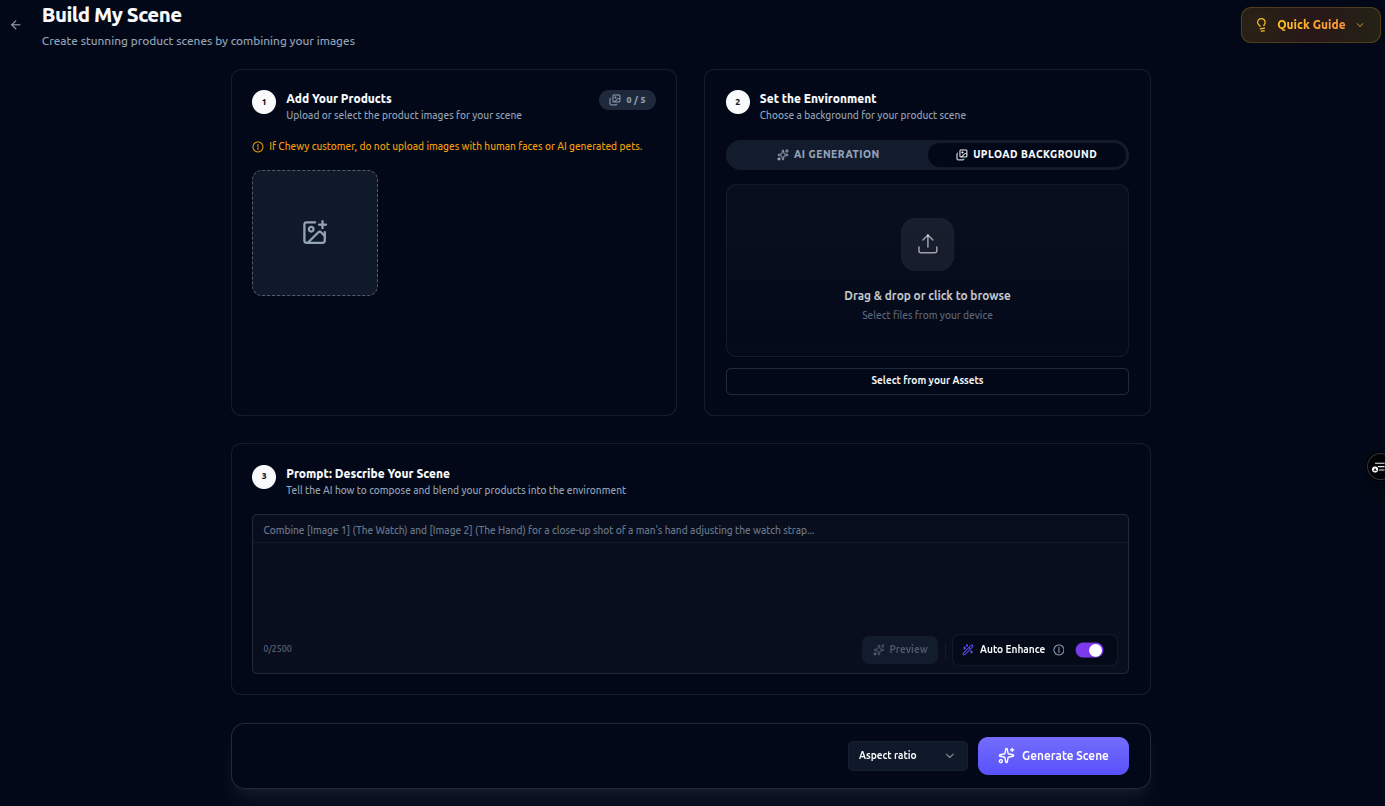
How It Works
AI places your product into realistic scenes based on your prompt and images. It can blend products into new environments, replace objects in existing images, or transfer style (lighting and color) between images. The system automatically generates multiple visual variations.
How to Use
Step 1: Add Your Products (Optional)
Upload 1–2 product photos.
Step 2: Set a Background (Optional)
Upload an environment image or generate one using a prompt.
Step 3: Write Your Prompt
Describe the scene and reference your products using [Image 1] and [Image 2] tags.
Step 4: Generate
Generate 4 unique variations. Click Extend to generate 4 more variations.
Composition Modes
- Blend (default): Place products naturally into new scenes.
- [swap]: Replace a specific object in a photo with your product.
- [style]: Transfer lighting and color from one image to another.
Example:
[swap] product from [Image 1] with the product from [Image 2]
Auto-Enhance
AI can refine your prompt into a more detailed creative direction. You can preview it before generating, edit it, or turn it off.
Options
- Product Images: 1–2 images
- Environment: Upload or generate (optional)
- Prompt: Up to 1,000 characters
- Auto-Enhance: On / Off
- Aspect Ratio: 1:1, 2:3, 3:2, 3:4, 4:3, 9:16, 16:9, 21:9, Auto
Best Practices
- Be specific — camera angle, lighting, mood, and composition all improve results.
- Use image tags — e.g.
product from [Image 1]andpersona from [Image 2]to guide placement. - Preview enhancement — review the AI-refined prompt before generating.
- Pick the closest aspect ratio — choosing the aspect ratio closest to the reference image helps reduce unnecessary generation and hallucinations.
- Avoid multiple references — they may confuse the model, for example if many personas appear in the same image.